Filming Day 2

Saturday, April 08, 2017

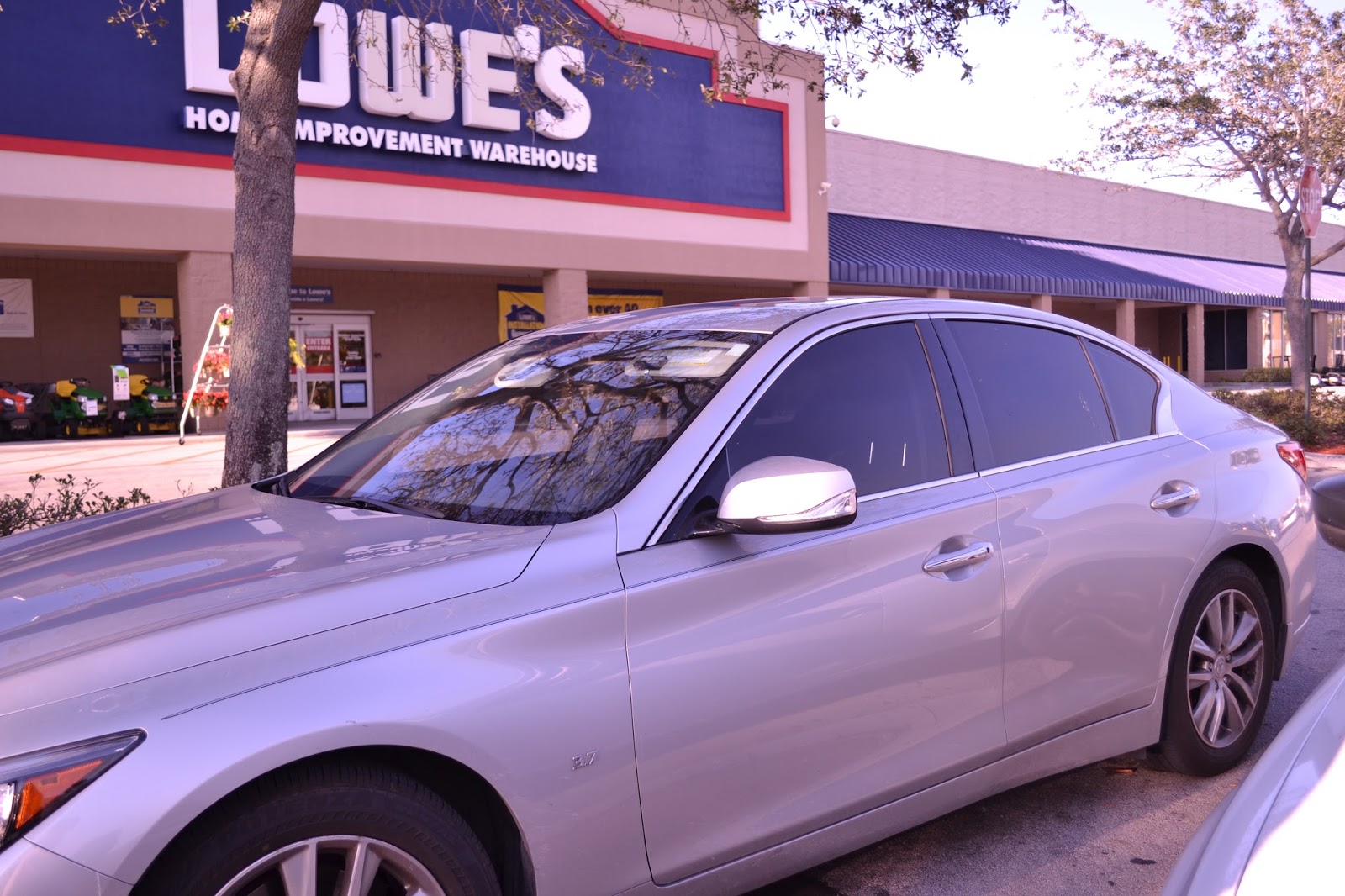
So yesterday I filmed for the second time around... This time ONLY at Lowes and not using a green screen somewhere else. It went really well and I was able have a conttinuous color palette all throughout!! I adjusted the coloration by changing the white balance settings on my camera, here's some examples of the pink-ish tint my shots had:


My film 'crew' (consisting of two friends and my main actor) and I stayed there for about 2-3 hours, but we got a lot of amazing footage. However, we did run into a couple problems here and there... NOT with the actual production but with some of the people who were shopping at the hardware store.


Since my film opening is about a robbery, there are two scenes that emphasize the main idea by portraying my main actor with a ski mask. The two scenes only took about 15-30 seconds to film each, but wearing a ski mask in a public place can be a tad nerve wrecking. To be safe, I confirmed with the store manager that I was allowed to film at their store. I then warned the employees that we were filming someone with a ski mask, just so none of them would freak out. We tried filming when there wasn't a lot of people around, but honestly, the shot we were taking didn't even look REMOTELY threatening and actually rather humorous.


As we were about to start filming, Cesar (my actor), put on the mask and a large white man approached him and our crew. He came up to me and said something along these lines: "I know you got permission to do this, but I carry around a concealed handgun and there are many other people who do too". Honestly, I didn't even know what to respond because he was right next to me inside the store when I told the employees that I was filming this for a class and it clearly for educational purposes. After the whole thing my friends are I felt kind of intimidated, but we continued to film either way. I guess it's hard to film in public places without people having different reactions, but the situation was really weird in general. 


A little bump in the road but the footage is still fantastic ;-) I'll post about the editing process later since I'm still working! 


xx Maria

Re-filming

Saturday, April 08, 2017

(I accidentally drafted this post instead of posting it yesterday)

These past two weeks have been beyond hectic. I'm basically caught in between this project and my AP art final series; a match made in hell. Since I really dislike the footage I got last week for my production, I'm planning on refilming again tomorrow. I originally filmed my entire production with a green screen and then filmed the background normally at Lowes. The footage itself was filmed nicely, but the editing process was way too complicated. The whole purpose of the green screen was to be able to adjust the coloration of my actor with a warmer tint and the background with cooler tint (the program I'm using, iMovie, doesn't allow to only adjust color on specific areas of the clip). With the use of the green screen, I'd be able to edit both clips individually so I could adjust the coloration to my preference. However, it was harder than I expected. The filming itself didn't come out so bad, but I was limited to a very short space from side to side and up and down (due to my decently small green screen). I also was unhappy with the the coloration adjustments, it looks too much like a filter rather than the actual lighting of the setting. The video overall looks way too choppy and the green screen didn't even work for some shots; when I tried removing the background my subject became transparent in some parts of his body. Here's a small portion of the video,  but I don't think I'll use it at all:


...On a brighter note, tomorrow is filming day #2! I'm still using my original storyboard, but I've adapted a new solution to my coloration problem. A friend in my class is also slightly adjusting his coloration throughout his production, and explained to me his approach: 

Instead of editing the color of the clip on a software, film the clips already with a coloration setting on the camera. I have a Nikon D3500, which is able to adjust the white balance before capturing pictures/videos. In order to do so, I took a picture of a light blue paper to set it as my custom white balance. This cancels out all of the cooler hues in my shots, making them have a beautiful warm tint that looks more natural. 

Just to make sure, I'm going to film each scene twice; once with the tint and once without it. That way if something goes wrong with the coloration, i can just use the normal clips and figure out a different solution. I'm hoping it doesn't come to that though!!!!!

So tomorrow I'll post again regarding my filming experience. I need to pull an ultimate all-nighter tomorrow in order to upload all the clips and edit them. I don't exactly want to RUSH to finish but I know I can get a lot of editing done if I sit there for a couple hours with a cup of coffee and strong determination ;) 

Maria xx

Filming Day 1

Monday, April 03, 2017

Hello! So I wasn't able to blog that much at all this weekend since I was in Savannah, Georgia visiting SCAD (an art school). However I did get to film Wednesday and edited some of it throughout the 7 hour car rides, so I have some updating to do! 

So on Wednesday I went ahead and filmed my main character with the green screen and some of the scenes at Lowes for the background. Everything went well filming but I'm still missing some clips from Lowes and some other scenes. 


I tried following most of my storyboard but actually encountered some problems because my homemade green screen was either to short in length or width. I tried my best to record the shots differently, but I'm not sure if I liked how it came out. 

I also started editing and found that when i removed the green screen from the background of the clip the subject actually became kind of transparent. This is a HUGE problem and I need to figure out how to fix it. Besides that, I need to re-film some clips here and there.

.....but heres the biggest problem of all. I love my idea on paper and how much thought I've put into it but I don't exactly like the product that has resulted from it. I think I haven't really been able to figure out if my voice and skills have really been able to shine through in the product I have so far which is really really stressing me out. I'm trying to think of new ideas and potentially shift my story, but I'm not sure if it's too late. I need to figure it out ASAP (so basically, this week) in order to continue filming/editing. 

If only I had the dollies and green screen from the University I visited, all my problems would be solved~


xx Maria

Filming tomorrow!

Wednesday, March 29, 2017

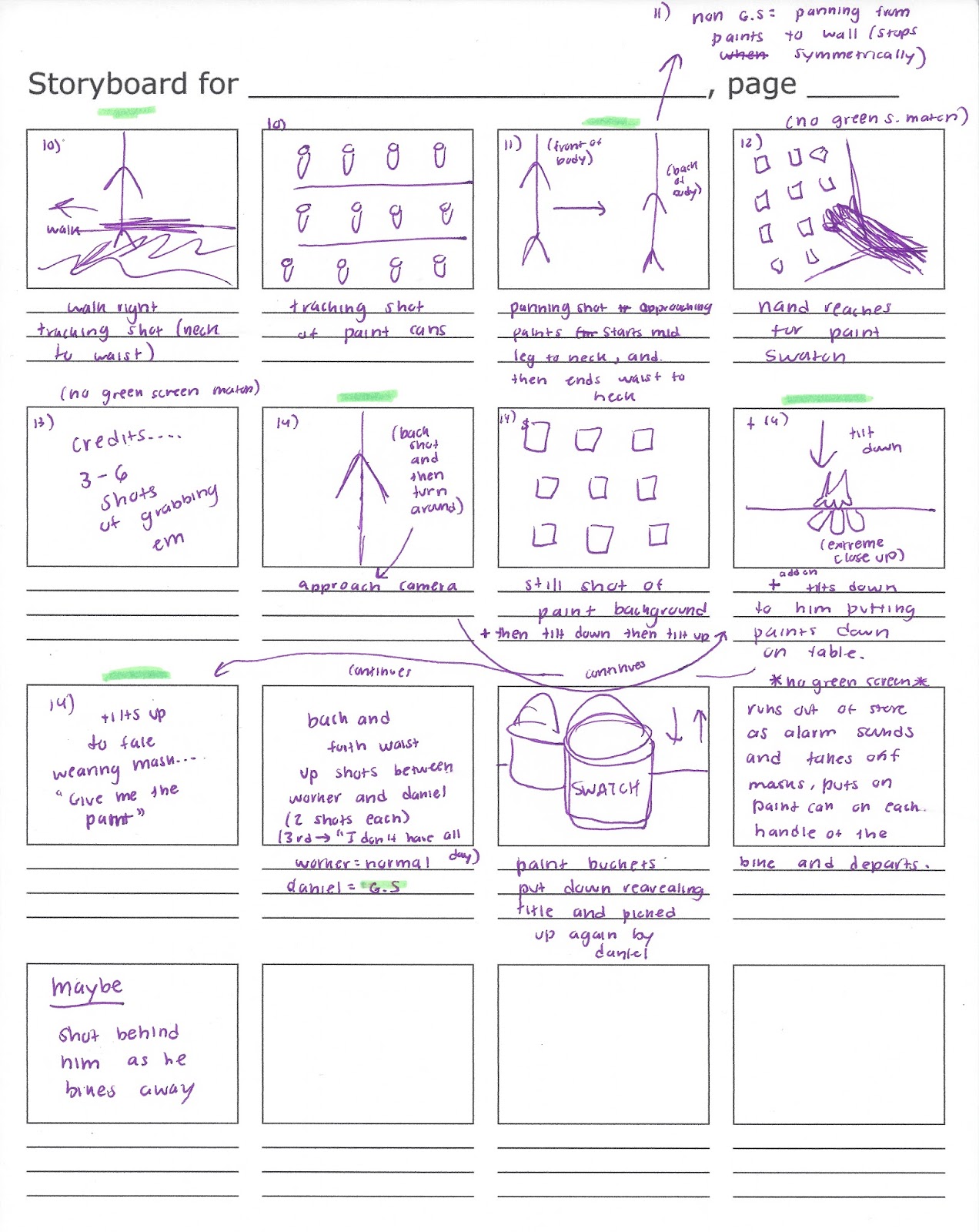
This little late night post just includes a couple updates. Since I've been figuring out many different details of my production, I haven't been able to film just yet. But tomorrow I'm finally ready to start! To fully prepare, I built a better green screen today out of green poster-board and duck tape and sketched a more specific storyboard: 


Hopefully everything will run smoothly tomorrow, I'll post again tomorrow night describing the process and the results!

xx Maria


Green screen?

Monday, March 27, 2017

Helloooo once again everyone! I literally posted like an hour ago regarding my 'Sample Film' and kinda left you guys hanging... but i couldn't wait to post about the solution I talked about for my film's coloration issue!

So today I spoke with my teacher regarding what possible solutions my coloration issue had:

  1. I could just film and then slightly color correct it with the limited features available to me on iMovie, OR
  2. GREEN SCREEN! This idea is brilliant and solves my coloration problem altogether. If I film my subject and my background separately, it will be MUCH easier to color correct each according to my preference. However, I'm scared that the Green Screen may be too much of a hassle, since I have to double film everything and really capture each shot accordingly to the other. I tried doing a sample of my sister to see just how it works on iMovie, and it actually worked out pretty well! 

Since there was a really intense shadow of her body on the green screen, her left side is a bit fuzzy. But I think if I improve the lighting and really coordinate each shot to the background, I can make it look really cool.

Oh and also, maybe make it look a little more professional....sorta


xx Maria


Sample Film

Monday, March 27, 2017

So on Thursday I decided to go to Lowes and try to create a sample film. This is a really rough draft of my final product but it's basically an overview of how I want my shots/angles. I  wasn't able to include many scenes I want to incorporate into my actual film, and only filmed about 55 seconds. 

The sample is basically a compialation of clips from that day, with no editing at all. I did TRY to play around with some editing techniques (especially with color correction) and encountered a couple problems. 

First off, here's the video: 


Soooo I tried editing the video to adjust the coloration only in the background, but iMovie doesn't allow you to only color correct certain areas of the clip. This is an issue because I don't really want the colors of my main subject to change as drastically as the background (by the way, this isn't my real actor). I want to be able to change the background colors and adjust the colors of my main subject without doing both at once... I might've found a solution to my problem, but I won't be sure until I try it. 

Check out my next post for the inside scoop ;) 

xx Maria

SWATCH

Monday, March 27, 2017

So I just finished up making/buying all of the props that I'll be working with throughout my production. Here they are: 


These are the tangible credits for my film! As you can see, the 'music by' paint swatch is still pending (since I'm not sure what music I'll be using yet). Also, the 'directed by' swatch is repeated , because I'm not sure which color I'll end up using. I don't think I'll include all of these, only three or four. 


I also decided to make the title a tangible object, which I printed onto a paint can. The worker will pull down the paint onto the counter, and there will be a close up shot of the can displaying the name. I also used the same Futura font that I used in the credits, and I will probably use it again in the poster I plan to make for the film. 


Today I also put together what Daniel will wear in the film. As I said before, I wanted my main character clothing all of the same color. I recently decided I want him to wear all yellow, since it matches the bicycle he rides and I like what the color represents (imagination, knowledge, dishonesty, etc.). Turns out it's nearly impossible to find yellow pants... I did however find a mustard-y yellow shirt which I think will be worn with black jeans and black shoes, along with yellow socks. Also, I bought the ski mask he will be wearing in one of the scenes. 


It was also really hard to find high yellow socks at a store (since I don't have time to order online), so i decided to improvise: 


Yea so basically I had to tie-dye some old white socks in order to complete Daniel's outfit. I'll post pictures of the full outfit when the socks are rinsed and ready! 

xx Maria


Popular Posts